







FAQ's
New & Current Partner FAQ
Yes. The kit is designed to work with standard soundboards and microphone setups commonly used at racetracks.
No. TrackTune works alongside your PA system. Your speakers continue to operate as normal.
Yes. You can create test events and verify sound quality before going live.
TrackTune support is available to assist with setup and broadcasting questions.
Yes. Optional geofencing allows you to restrict streams to spectators on site.
For tracks, series, and promoters there are two parts: the TrackTune Broadcast Hardware Kit at $295 one time, and the Unlimited Audio Streaming Service at $395 per year. Listening is always completely free for fans.
TrackTune works best when the surrounding noise is loud enough to drown out the venue’s main speakers. If you can clearly hear both the speakers and the audio in your headphones, the conditions aren’t ideal for TrackTune.
In those situations, you have two options:
Listen through the venue’s speakers during quieter parts of the event.
Block out more of the environmental sound, for example, by wearing earbuds with earmuffs over them.
If you still notice an echo, it simply means the difference between the environmental noise and the TrackTune audio isn’t large enough for the best listening experience.
Fan & Spectator FAQ
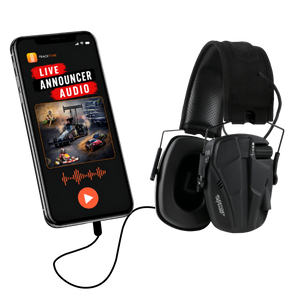
No. Any headphones, earbuds, or earmuffs that connect to your phone will work with TrackTune.
For the best experience, however, you’ll want something that also helps block out the surrounding noise. If you’re using standard wireless earbuds, try wearing earmuffs over them. Reducing the environmental noise makes it much easier to hear the TrackTune audio clearly.
Listening to the announcer audio through TrackTune is completely free.
It depends on the venue’s settings.
Some venues allow anyone to listen to the announcer audio from anywhere. Others choose to geofence the broadcast, which means you must be within a designated area, typically the event venue itself, to listen.
The products on this website were selected by an audiologist to provide quality options at a variety of price points.
While these are our recommended products, there are many other quality headphones, earbuds, and hearing protection options that also work well with TrackTune. The most important factor is choosing something that helps block out some of the surrounding noise so you can hear the announcer more clearly.
Most of the products we recommend are adult-sized, but the earmuffs have a wide range of adjustment and fit many tweens comfortably.
Our Bluetooth electronic earmuffs also offer an advantage over many other Bluetooth earmuffs on the market. They include additional volume capability when needed, which can be especially helpful in extremely loud environments where even the earmuffs alone don’t reduce enough background noise for the best listening experience.
Yes. TrackTune works with Bluetooth headphones, earbuds, speakers, and wired headphones that connect to your phone.
Yes. TrackTune streams live audio, so it uses either cellular data or Wi-Fi, depending on how your phone is connected. Audio streaming typically uses much less data than streaming video.
Open the TrackTune app and browse the list of available events. If you don’t see your event, make sure the venue is currently streaming and that you’re at the correct location if the event is geofenced.
A short delay is normal with digital audio streaming. The amount of delay can vary depending on your internet connection and the streaming setup at the venue.
Many times, yes, but not always. It depends on your hearing aids, the degree of your hearing loss, and how your hearing aids are programmed.
If your hearing aids can stream audio directly from your phone, you may be able to listen to TrackTune through them. However, you’ll still need to reduce some of the surrounding noise for the best listening experience.
Depending on your hearing aids, you may be able to wear earmuffs comfortably over them to help block out background noise. It’s also important that the earmuffs don’t cause feedback (whistling), which can vary based on your hearing aids, their programming, and the severity of your hearing loss.
Because everyone’s hearing is different, what works well for one person may not work as well for another.
First, make sure your phone’s volume is turned all the way up. Then, try using headphones, earbuds, or hearing protection that blocks more of the surrounding noise. TrackTune is designed for loud environments, and reducing background noise often makes the biggest difference in sound quality.
Need help?
If you have questions about setup or compatibility, contact TrackTune support.
info@tracktune.com
TECH SUPPORT
Real Tech Support When It Matters
- Remote Support for Set-Up
- Direct Phone Support on Race Day!